Mobile companion for STRIKEPACK HORIZON adapters and GAMEPACK tuning
STRIKEPACK HORIZON, by Collective Minds Gaming Co. Ltd., is a mobile companion for controller adapter configuration, designed to put controller tuning in a pocket for console players. The app connects to the adapter over Bluetooth and lets users load GAMEPACKs, remap paddles, and tweak MODs like anti-recoil and rapid-fire in real time. It targets console gamers on Xbox and PlayStation who use the Horizon hardware and want on-the-fly adjustments during play without a PC.
What the app does for console sessions
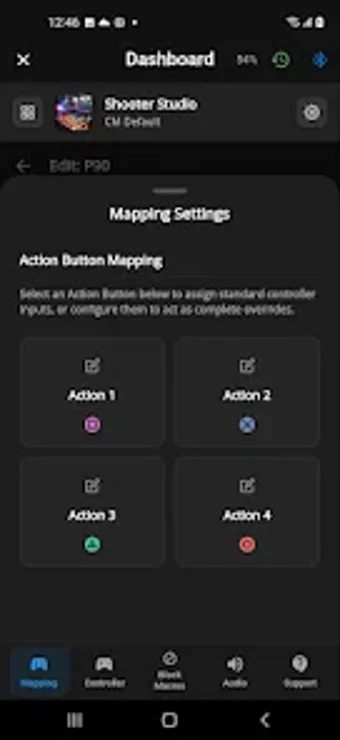
The app turns an Android device into a live configuration hub for the HORIZON adapter, enabling on-the-fly changes to controller behavior via Bluetooth. It loads pre-configured GAMEPACKs that supply game-specific macros, applies multi-button paddle mappings with up to four simultaneous presses, and offers a profile manager to switch setups quickly between sessions. These capabilities are presented as the primary route to access advanced features without a wired PC connection.
How it connects and which hardware it supports
The HORIZON app requires Bluetooth 4.0 or higher and Android 9.0 or above to pair with the adapter, and it needs Location Services plus an internet connection to download content. The adapter itself is compatible with standard Xbox Series X|S, Xbox One, and DualSense controllers depending on the hardware model. Setup therefore centers on a Bluetooth link rather than a desktop cable, while initial firmware updates may still use a PC or Mac.
Learning curve, interface, and accessibility considerations
Settings are arranged around GAMEPACKs, MOD sliders, and an analog stick calibration tool that addresses stick drift on older controllers. Users report a learning curve for composing complex macros, which reflects the app’s depth: it exposes multi-press paddle mapping and live MOD intensity controls that require careful tuning. The app’s calibration feature and profile saving help players with recurring setups, and the menu structure focuses on device-linked configuration rather than general account management.
Daily utility, responsiveness, and privacy controls
Because adjustments apply in real time, the app can alter anti-recoil intensity and rapid-fire rates while a game runs, which suits players who tweak settings during matches. The app requires location permission to operate Bluetooth scanning on Android and an internet connection to fetch GAMEPACKs, indicating data flows for content updates and device discovery. Tournament Mode on the hardware still allows basic mapping without the app, so the mobile tool is primarily for advanced daily tuning.
To sum up, a practical mobile tuner for Horizon owners
To sum up, the HORIZON app is a practical option for Horizon adapter owners who want immediate, in-match control of macros and MOD values; it fits players who accept a moderate setup learning curve and Android Bluetooth requirements. Pro tip: save distinct profiles for competitive and casual sessions to avoid reconfiguring limits mid-match. It is less suitable for users who prefer desktop-only firmware and initial updates.